
Made for your kind of business
More regulars.
Less busywork.
A loyalty card they keep. A thoughtful nudge that brings them back. Run your cards, automations and offers from one simple place.
30 days free. No payment card. No extra hardware.
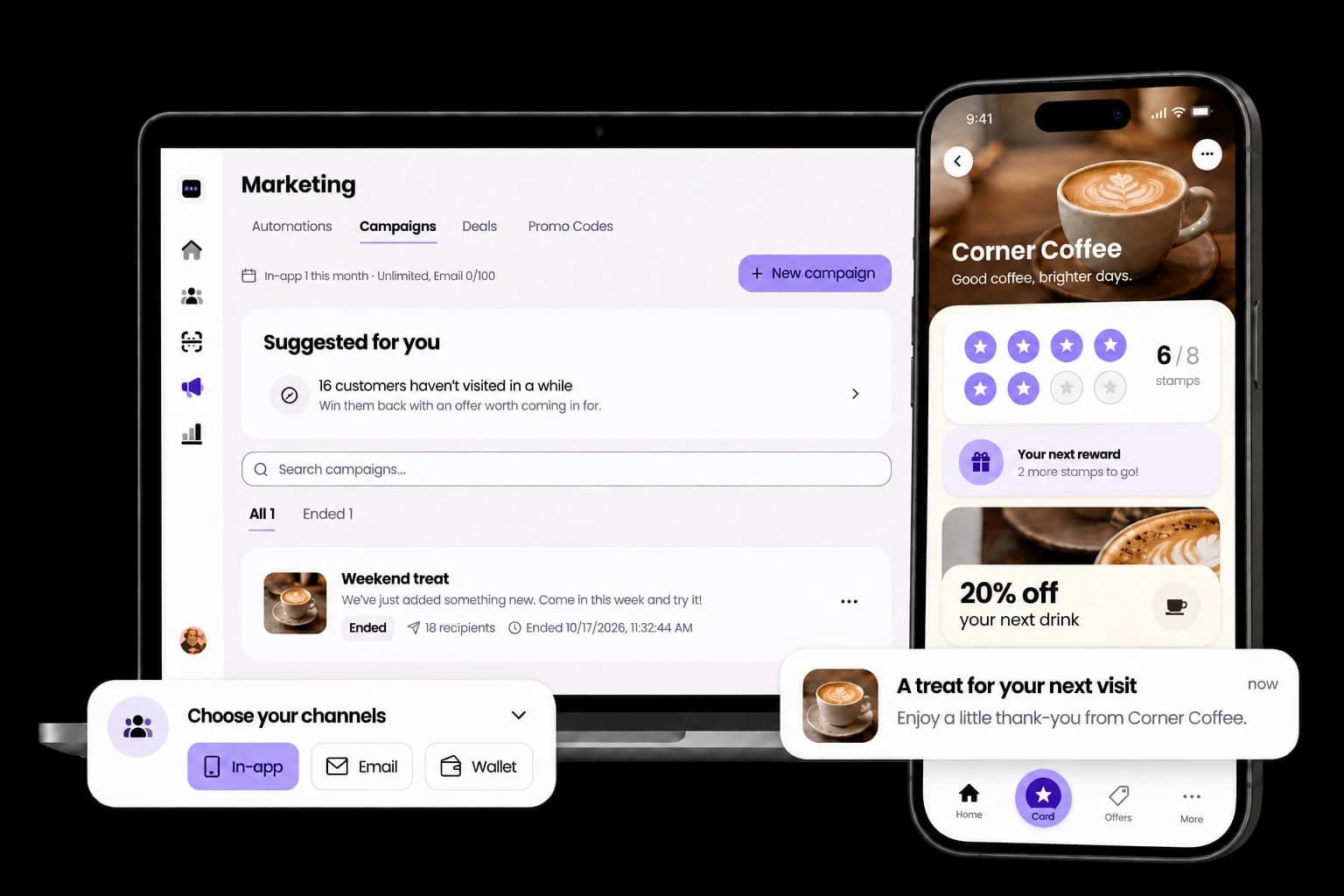
Start with a stamp. Build a habit.
Your loyalty card. Always with them.
Your logo, your rewards, your little thank-you. Customers join in their browser and collect stamps without an app download.
- 01
Scan & join
A QR on your counter opens the card on their phone.
- 02
Approve a stamp
Your team confirms the visit from a phone, tablet or till.
- 03
Make their day
A completed card earns a reward, ready to use with your team.
Automations
A little thoughtfulness. On autopilot.
You look after the people at your counter. StampClub keeps an eye on the moments between visits.
Switch on the moments that suit your business. Each day, StampClub checks who is ready for a reminder, a reward nudge or a small gift.
Preview the message and audience before you turn it on
Set contact limits and a monthly gift budget
Pause one moment, or everything, whenever you like
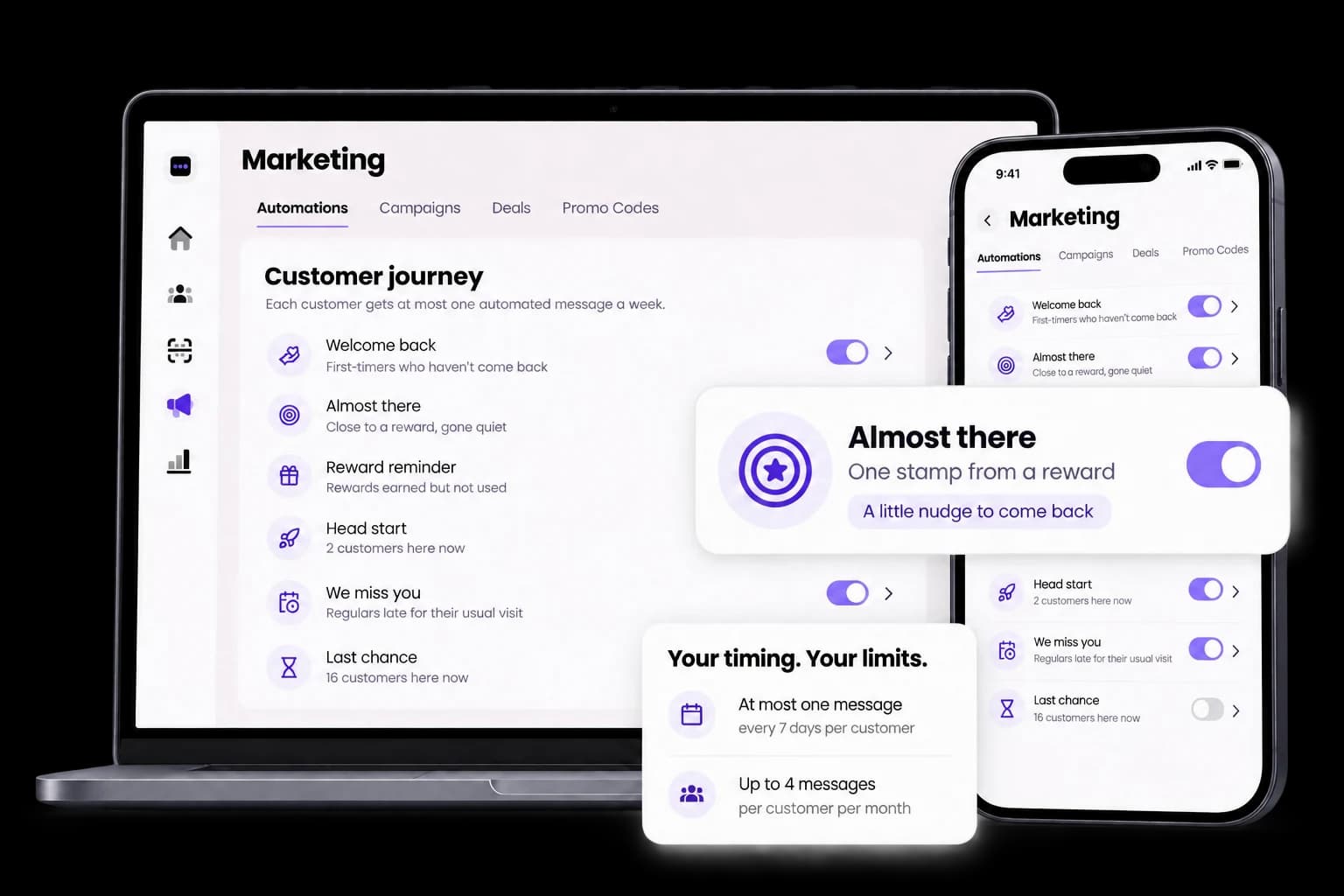
Welcome back
Give first-timers a reason for a second visit.
Almost there
Nudge someone close to their next reward.
Reward reminder
Remind them a well-earned treat is waiting.
Head start
Start the next card with a little stamp bonus.
We miss you
Notice when a regular is late for their usual visit.
Last chance
Give a quiet customer one more reason to return.
Messages in StampClub and supported Wallet passes.
Campaigns
Something worth coming in for.
A weekend treat. A new arrival. A thank-you for your regulars. Pick the people, choose the offer and make it personal.
Start from a template or a suggested audience
Send now or schedule for later
Offer money off, a free item or bonus stamps
Track your audience size and offer redemptions
One message. The right place.
On their card
Your offer lives inside StampClub and gives their card a fresh look while the campaign runs.
In their inbox
Reach eligible customers who have not opted out. Availability and allowances follow your plan.
With their saved pass
Update Apple and Google Wallet passes for customers who have added your card.
Deals & offers
Make the quiet hours a little busier.
A coffee-and-pastry combo. Double stamps on Tuesdays. An offer people can find before they walk through your door.
Show deals on your card, Explore page and scan screen
Choose dates, hours and locations
Let staff apply the deal and bonus stamps at the till
Have a code to share? Promo codes give customers bonus stamps from your receipts, social posts or local partnerships.
Explore deals and double stamps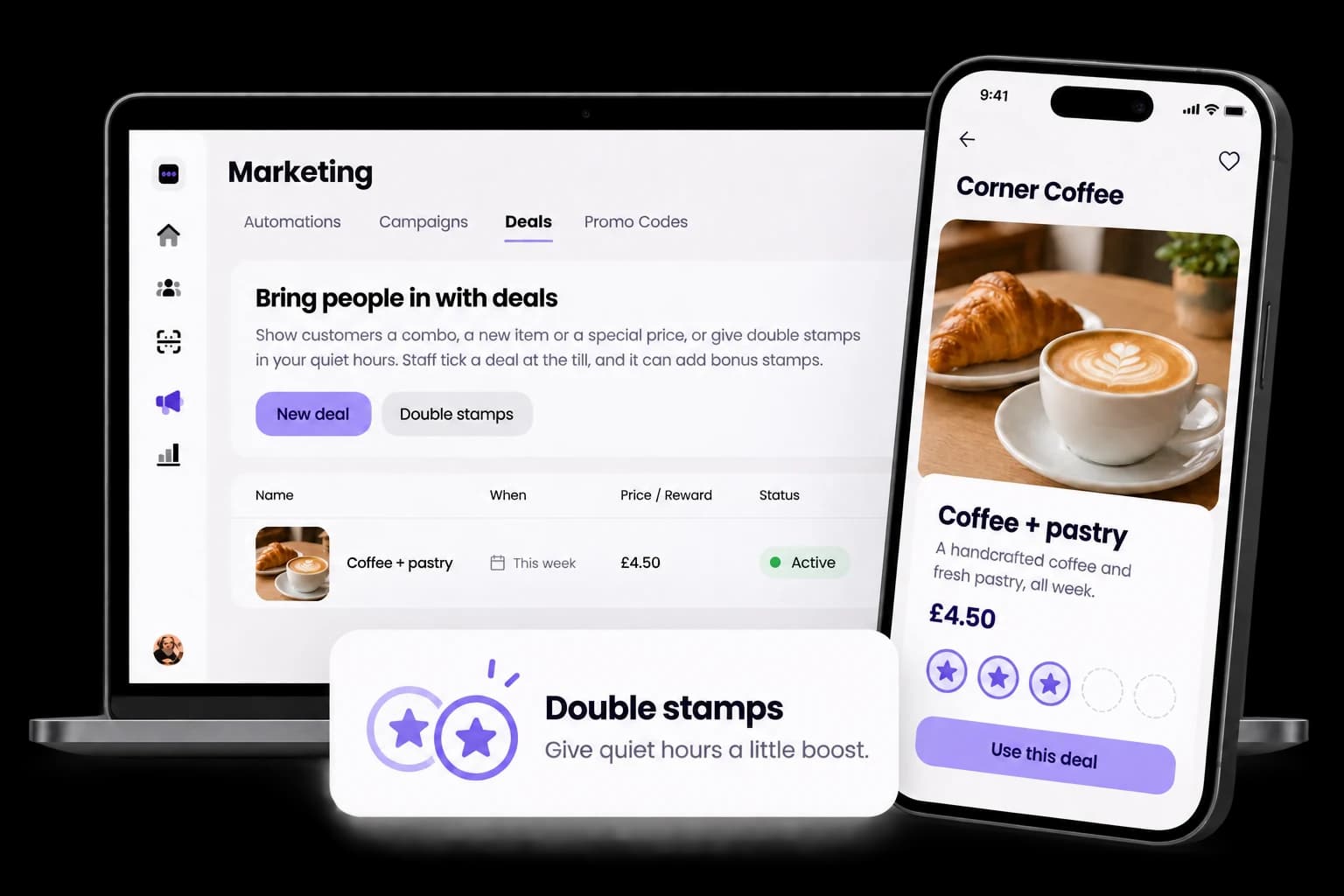
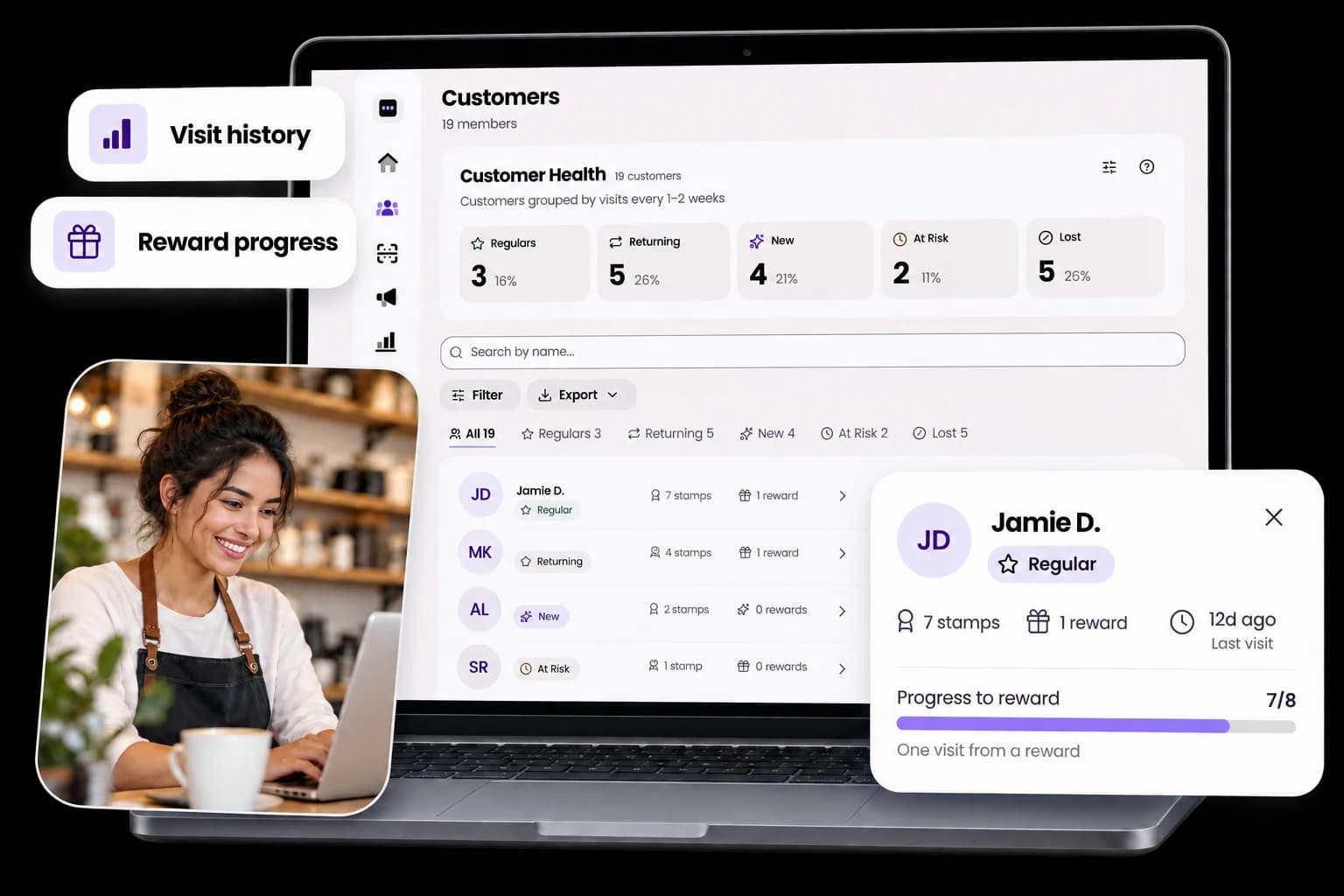
Customer Health
Know the people. Notice the patterns.
Who’s becoming a regular? Who hasn’t been in lately? See the visit rhythm behind every card.
See visit history, stamp progress and earned rewards
Adjust the visit rhythm to suit your business
Keep customer notes and export your member list
Analytics
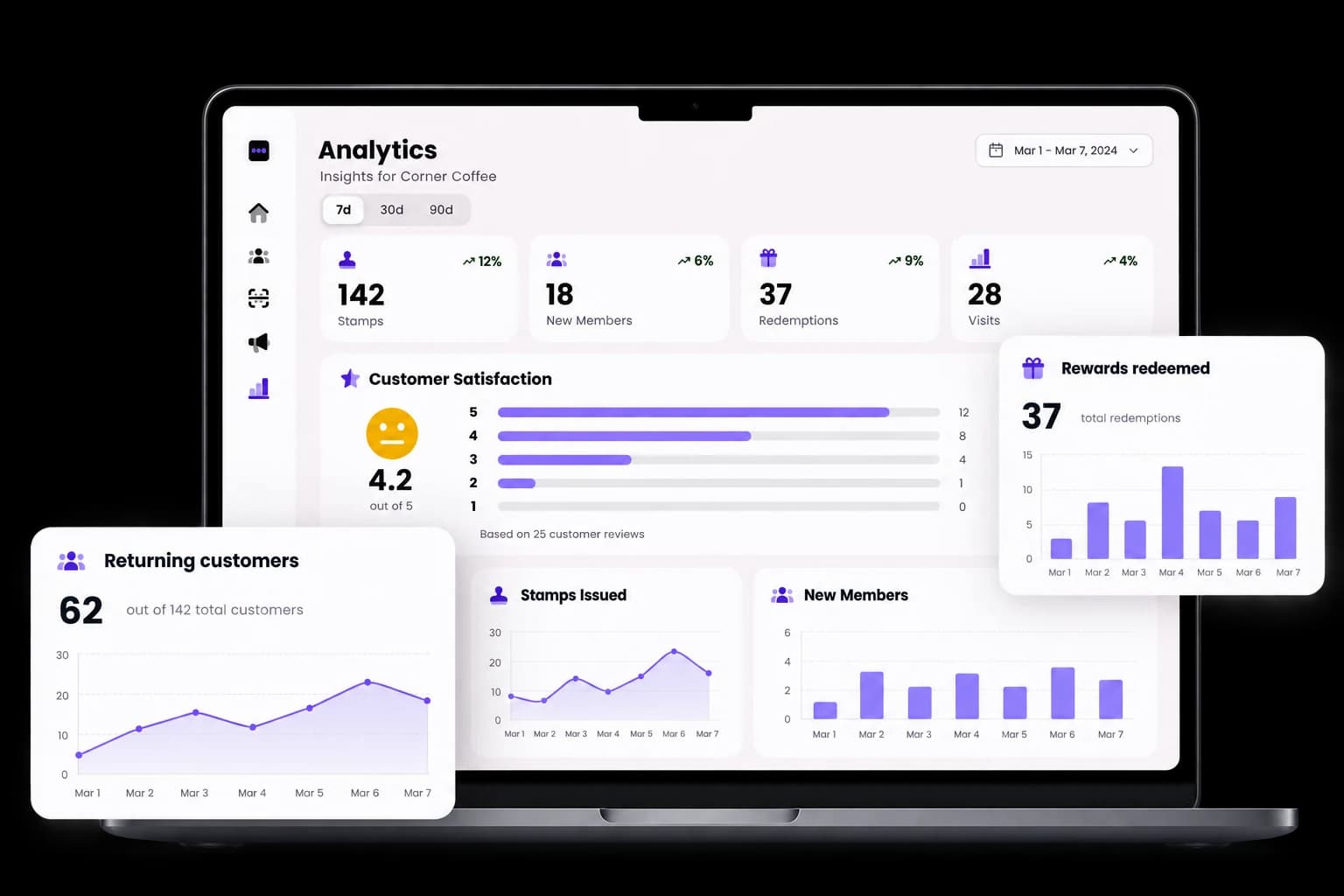
See what brings them back.
Go beyond a pile of full stamp cards. Follow stamps, new members and redemptions, then see how your customer relationships are growing.
Compare activity over 7, 30 or 90 days
Follow retention and reward use as your plan allows
Check automation return visits and campaign offer use
Ready for the everyday
A small team can do a lot.
The practical details belong here too. Everything works together, from the first QR scan to your next location.
Your brand, front and centre
Design your loyalty cards in Card Studio and make a counter-ready QR poster in Poster Studio.
The right access for your team
Set staff permissions for stamps, rewards, marketing and more. Keep everyday work in the right hands.
Room to grow
Run several cards and locations on the plans that support them. Keep your business together as it grows.
Made for their phone
A browser-first loyalty card, home-screen access and five languages: English, Spanish, Italian, German and Greek.
A few good questions
Let’s make it clear.
The things you might want to know before putting your first QR on the counter.
Visit the Help CenterNo. They scan your QR code, join in their browser and keep their loyalty card on their phone. They can add StampClub to their home screen for an app-like experience. Apple and Google Wallet passes are available too.
Automations respond to six moments in a customer's journey after you switch them on. Campaigns are messages you send or schedule to an audience you choose. Deals are standing offers on your card, Explore page and scan screen; they do not send a message. You can announce a deal with a campaign.
In-app delivery adds the message inside StampClub and can update the customer's card; it does not make their phone buzz. You can also choose email, subject to your plan and customer preferences, or Wallet for customers who have saved a pass. Wallet alerts depend on the customer's device and settings.
Yes. Preview the audience, message and gift before switching on a moment. Adjust its timing, write your own message, set contact limits and a gift budget, or pause everything. In-app and Wallet channels are available.
No. Print a QR poster and use the phone, tablet or computer you already have. Customers request stamps and staff approve them. You can also scan a customer's code at the till, use kiosk mode or connect a USB QR scanner.
Yes. Give each member of your team the permissions they need, and manage your locations under one business. The number of locations and loyalty cards depends on your plan. The pricing page sets out the current limits.
Every new business gets 30 days free, with no payment card needed to start. Choose a paid plan to keep issuing stamps and rewards after the trial. If you do not subscribe, your customer records, cards, stamps and rewards stay saved, and you can resume by subscribing.
Your next regular starts with one visit.
Make your card. Put out your QR. Give people a reason to come back.
Start your free 30-day trialNo payment card needed. Use the devices you already have.