
Remember the moments between visits.
StampClub follows up when a reward is close, a treat is waiting or a regular has gone quiet. You choose the moments, the message and any gift.
30 days free. No payment card needed.
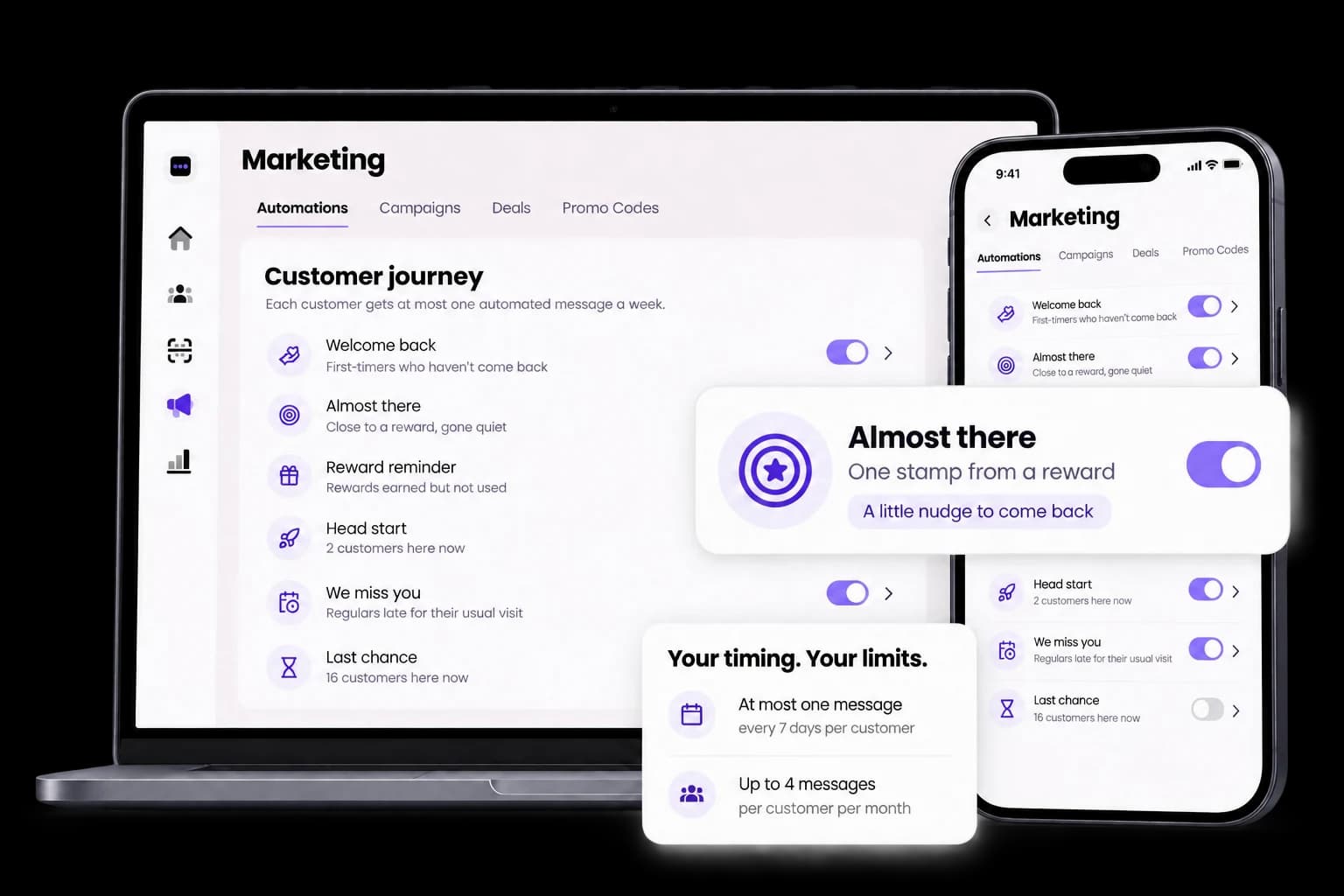
How it works
Pick the moments
Switch on the moments that suit your business, one at a time.
Check the message
Preview the message, who gets it and any gift before you turn it on.
Set your limits
Decide how often a customer can hear from you and how much you give each month.
Let it run
StampClub sends it at the right time. Pause one moment, or all of them, whenever you like.
The six moments
Welcome back
Give first-timers a reason for a second visit.
Almost there
Nudge someone close to their next reward.
Reward reminder
Remind them a well-earned treat is waiting.
Head start
Start the next card with a little stamp bonus.
We miss you
Notice when a regular is late for their usual visit.
Last chance
Give a quiet customer one more reason to return.
Frequently asked questions
How do automations reach customers?
As messages inside StampClub, and as updates on Apple Wallet and Google Wallet passes for customers who keep your card there. Wallet alerts depend on the customer's phone settings.
Can I control how often customers hear from me?
Yes. Set contact limits so a customer only hears from you so often, and a monthly budget for any gifts.
What is the difference between automations and campaigns?
Automations respond to moments in a customer's loyalty journey on their own. Campaigns are messages you send, now or on a day you pick, to the customers you choose.
Can I pause them?
Yes. Pause one moment, or all of them, whenever you like.
How do I know if they work?
Your dashboard shows how many customers each moment reached and how many visited afterwards.
Your next regular starts with one visit.
Create your card, put the QR on your counter and approve your first stamp.
30 days free. No payment card needed.