
Send an offer worth coming back for.
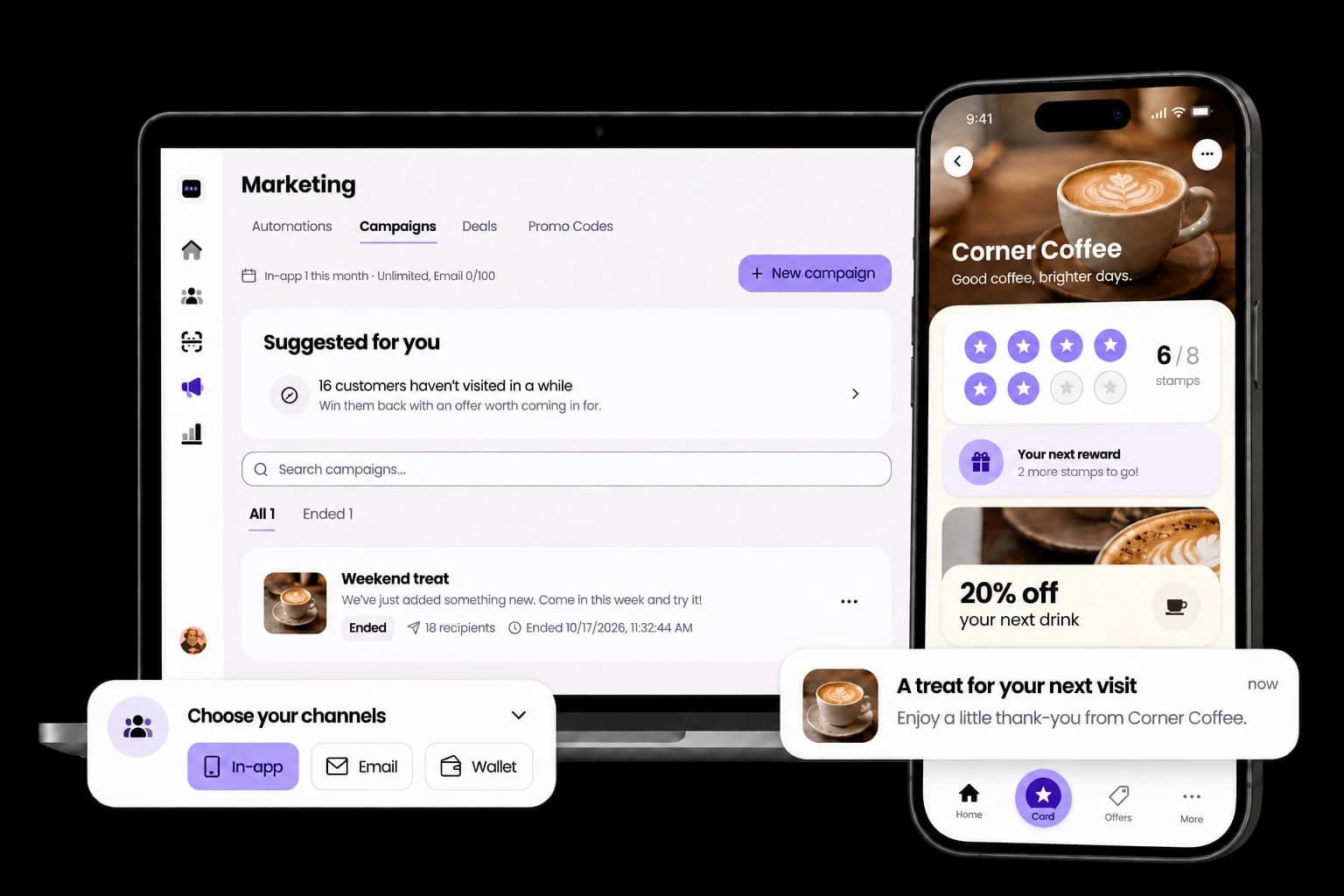
Pick who gets it, write one message and send it now or later. Customers use the offer at your counter, or claim bonus stamps with one tap.
30 days free. No payment card needed.
How a campaign works
Choose the offer
Money off, a percentage off, a free item you name, up to 10 bonus stamps, or just news.
Choose who gets it
Everyone, a group such as Regulars or At risk, a custom filter, or customers you pick from a list.
Choose where it goes
In-app always. Add email, and Wallet for customers who keep your card there.
Send it now or later
It runs from one hour to 30 days, and you can end it early.
The rules, in numbers
- Basic 50, Growth no limit
Campaigns a month
Counted when sent, reset on the 1st
- Basic 20, Growth 100 a month
With email
A campaign that includes email counts once more
- Up to 2,000 per send
Email reach
Customers who haven't opted out of your emails
- Up to 300 characters
Message
One text for every channel
- 1 hour to 30 days
Running time
It ends by itself, or you end it early
- Up to 10
Bonus stamps
Customers claim them in the app
Frequently asked questions
Does a campaign send a push notification?
An in-app campaign shows inside StampClub, with a badge on the bell, the next time the customer opens it. Email arrives in their inbox. On iPhone, the Wallet channel can show on the lock screen.
Who gets the email?
Customers who haven't opted out of your emails, up to 2,000 people per send. If an email bounces or someone marks it as spam, StampClub stops emailing that person for your business.
How do bonus stamps work?
Customers tap Claim your stamps on the offer in their app and the stamps are added at once, up to 10 per campaign. Your staff don't need to do anything.
How do customers use money off or a free item?
They show the offer on their phone. At the till it appears on the stamp screen, and staff tap Redeem offer.
What counts towards my limit?
Each campaign you send counts once, and once more if it includes email. Cancelled and failed campaigns don't count, and the count resets on the 1st of each month.
Can I schedule or stop a campaign?
Yes. Schedule it for later, cancel it before it goes out, or end it early. Once a campaign is sent, it can't be unsent.
More features
See all featuresYour next regular starts with one visit.
Create your card, put the QR on your counter and approve your first stamp.
30 days free. No payment card needed.